


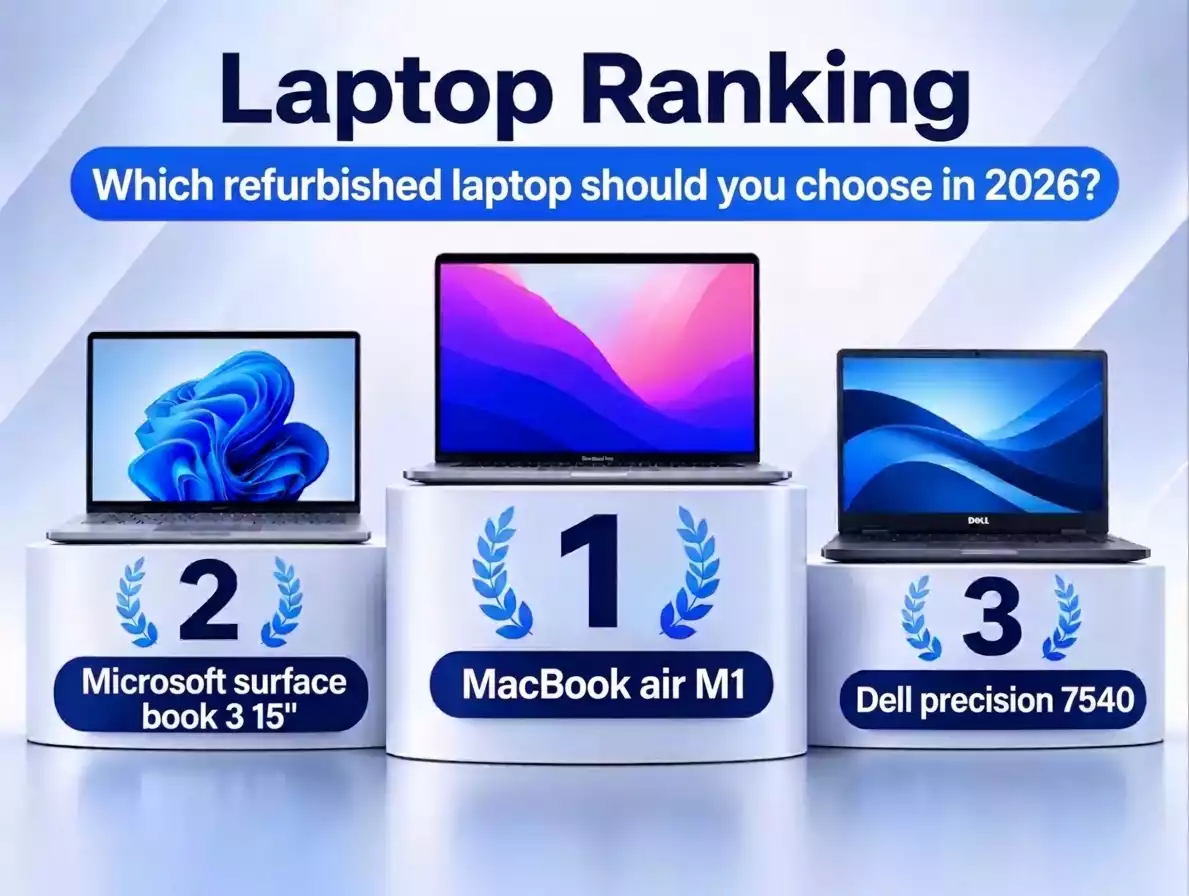
If you're looking for one ex-lease laptop for studying, office work and everyday use, in 2026 the MacBook Air M1 gives you the most. It is supported by macOS 27, weighs 1.29 kg, and our units are in the highest visual grade, Supreme. If you need Windows, a touchscreen or 64 GB of RAM for engineering software, see places 2 and 3: the Microsoft Surface Book 3 and the Dell Precision 7540.
Below we describe 6 models from our range: who each one is for, what its limitations are and when it's better to choose something else. An ex-lease laptop is a computer that previously worked in a company – usually for 2–4 years – and was then checked and prepared for resale. If you want to know how we test and grade our laptops, see our quality guide.
- MacBook Air M1 – for studying, office work and travel (macOS).
- Microsoft Surface Book 3 15" – Windows 11, a touchscreen you can detach from the keyboard, 32 GB RAM.
- Dell Precision 7540 – 64 GB RAM and an NVIDIA Quadro graphics card for CAD, data analysis and virtual machines.
- MacBook Pro 16" M1 Max – the most power in this ranking for video editing and 3D graphics, at the highest price.
- Google Pixelbook Go – web browsing and cloud work for under €250, with updates until August 2029.
- MacBook Pro 13" 2020 (Intel) – the cheapest macOS laptop in this ranking, but without further major system versions.
How did we rank these ex-lease laptops?
We chose 6 models from the current device.store range that cover different uses and budgets: from a laptop for web browsing under €250 to a workstation for video editing. The ranking covers only our own range – we don't compare prices or models from other shops.
We assessed each model against five criteria:
- System support – whether the laptop will get updates in the coming years. We checked the compatibility lists from Microsoft (Windows 11), Apple (macOS 27) and Google (ChromeOS).
- Condition of the units – visual grade and minimum battery health.
- Versatility – how many typical tasks the model handles without compromise: weight, screen, software.
- Value for money – processor, RAM, storage and graphics card.
- Warranty – as stated on the product page.
For each model, we explain what decided its place.
All laptops in the ranking went through the same process: data erasure with Blancco software, a technical audit and visual grading. The visual grade describes how a specific unit looks on the device.store scale – from Supreme (like new) to Budget (clear signs of use, including on the screen). You'll find the details in the description of the Supreme, Select, Standard, Economy and Budget grades.
Comparison of 6 ex-lease laptops in a table
| Place | Model | System and updates | Processor and graphics | RAM / storage | Display | Weight | Grade (min. battery) | Price* |
|---|---|---|---|---|---|---|---|---|
| 1 | Apple MacBook Air M1 (2020) | macOS, supports macOS 27 | Apple M1, 8 cores | 8 GB / 256 GB | 13.3", 2560 × 1600 | 1.29 kg | Supreme (80%) | €550–700 |
| 2 | Microsoft Surface Book 3 15" (2020) | Windows 11 Pro | Intel Core i7-1065G7, 4 cores; GeForce GTX 1660 Ti Max-Q 6 GB | 32 GB / 512 GB | 15", 3240 × 2160, touch, detachable | 1.9 kg | Supreme (80%) | €700–800 |
| 3 | Dell Precision 7540 | Windows 11 Pro | Intel Xeon E-2276M, 6 cores; NVIDIA Quadro T2000 Max-Q | 64 GB / 512 GB | 15.6", 1920 × 1080 | from 2.52 kg | Standard (50%) | €550–700 |
| 4 | Apple MacBook Pro 16" M1 Max (2021) | macOS, supports macOS 27 | Apple M1 Max, 10 cores | 64 GB / 2 TB | 16.2", 3456 × 2234 | 2.2 kg | Budget (no minimum) or Standard (50%) | over €1,600 |
| 5 | Google Pixelbook Go (2019) | ChromeOS, updates until 08/2029 | Intel Core i5-8200Y, 2 cores | 16 GB / 128 GB | 13.3", 1920 × 1080, touch | 1.06 kg | Standard (50%) | under €250 |
| 6 | Apple MacBook Pro 13" (2020, Intel) | macOS Tahoe 26 – the last major version | Intel Core i7-1068NG7, 4 cores | 16 GB / 500 GB | 13.3", 2560 × 1600 | 1.4 kg | Economy (no minimum) | €350–450 |
* Price ranges as of 10 November 2026. You'll find the current price on the product page. "No minimum" – Economy and Budget grades have no minimum battery health: a specific unit may have below 50%, but also around 90% of its original capacity.
Technical data sources: device.store product pages (10 November 2026) and manufacturers' specification pages: Apple – MacBook Pro 16" (2021), Apple – MacBook Pro 13" (2020), Microsoft – Surface Book 3, Dell – Precision 7540. System support: Apple – macOS 27 compatibility, Google – Pixelbook updates, Microsoft – Intel processors supported by Windows 11.
1. MacBook Air M1 – for studying, office work and travel
The MacBook Air M1 is a laptop for people who want a light, quiet computer for everyday work and don't need Windows. It works well for studying, office work, video calls and hobby photo editing.
Why 1st place: it's the only model in this ranking that combines long system support, the highest visual grade and low weight. The Air M1 is on the list of computers compatible with macOS 27. Our units are Supreme grade, and according to our service team most of them show 1–4 battery charge cycles.
- Apple M1 chip – fast in typical work, and the laptop has no fan, so it runs silently,
- weight 1.29 kg,
- 13.3" display with a resolution of 2560 × 1600,
- battery in Supreme grade: at least 80% health.
- 8 GB RAM and 256 GB storage – with many heavy applications open at once, memory will run out,
- supports one external monitor,
- two USB-C ports (Thunderbolt / USB 4),
- US keyboard layout (QWERTY) – if you're used to a UK or another European (ISO) layout, the Enter key and some symbols are in different places.
Choose something else if: you need Windows (places 2 and 3) or a lot of memory for video editing (place 4).
See the MacBook Air M1 8 GB / 256 GB in Supreme grade.
2. Microsoft Surface Book 3 15" – Windows with a touchscreen you can detach from the keyboard
The Surface Book 3 is a laptop for people who work in Windows and use a touchscreen: they take notes with a pen, draw, give presentations or work with many windows at once. You can detach the screen from the keyboard and use it as a tablet.
Why 2nd place: it's the most versatile Windows laptop in this ranking, in the highest visual grade. Its 10th-generation Intel Core processor is on the Windows 11 compatibility list, and the units are Supreme grade with at least 80% battery health. It's behind the Air M1 mainly because of its weight and higher price.
- 32 GB RAM and 512 GB storage,
- 15" touchscreen with a resolution of 3240 × 2160 and Surface Pen support,
- dedicated NVIDIA GeForce GTX 1660 Ti Max-Q graphics card with 6 GB of memory,
- ports: 2 × USB-A, 1 × USB-C, full-size SD card reader.
- weight 1.9 kg with the keyboard,
- 4-core energy-efficient processor – slower for long calculations and rendering than the 6-core Xeon in the Dell Precision 7540,
- the Surface Pen is not included.
Choose something else if: low weight matters to you (place 1) or you work in CAD software on large models (place 3).
See the Microsoft Surface Book 3 15" i7 / 32 GB / 512 GB in Supreme grade.
3. Dell Precision 7540 – a workstation for CAD and large projects
The Dell Precision 7540 is a mobile workstation – a laptop designed for demanding software: CAD, data analysis, virtual machines and work with large files. It works best at a desk, connected to a monitor and power.
Why 3rd place: for its price, it offers the most memory and computing power in this ranking. It has 64 GB of RAM – the same as the MacBook Pro M1 Max – at less than half the price. Its Xeon E-2200 processor is on the Windows 11 compatibility list, and the warranty is 24 months – the longest in this ranking. It ranks below the Surface Book 3 because of its Standard grade, weight and Full HD screen.
- 64 GB RAM and 512 GB storage,
- Intel Xeon E-2276M processor: 6 cores, 12 threads, up to 4.7 GHz,
- professional NVIDIA Quadro T2000 Max-Q graphics card,
- ports: 3 × USB-A, 2 × Thunderbolt 3, HDMI, mini DisplayPort, Ethernet, SD card reader,
- Windows 11 Pro.
- Standard grade: signs of use, minor screen imperfections, battery at least 50%,
- 15.6" Full HD display (1920 × 1080),
- weight from 2.52 kg according to Dell – a laptop for the desk, not for carrying every day.
Choose something else if: you often work while travelling (places 1 and 2) or edit video in macOS software (place 4).
See the Dell Precision 7540 Xeon / 64 GB / 512 GB or other ex-lease workstations.
4. MacBook Pro 16" M1 Max – for video editing and 3D graphics
The 16" MacBook Pro with the M1 Max chip is a laptop for people who professionally edit video, work in 3D graphics, process large photo shoots or compile large software projects. An Apple chip (Apple silicon) is a processor designed by Apple and used in Macs since 2020.
Why 4th place: it's the most powerful laptop in this ranking and is supported by macOS 27. Its lower place comes down to price – the highest in the ranking – and the condition of the units. In Budget grade, the screen may have clear marks, and battery health has no set minimum.
- 64 GB of memory and 2 TB storage – room for large projects,
- 10-core M1 Max chip,
- 16.2" Liquid Retina XDR display with a resolution of 3456 × 2234,
- ports: 3 × Thunderbolt 4, HDMI, SDXC card reader, MagSafe 3.
- the highest price in this ranking,
- weight 2.2 kg,
- in Budget grade, possible clear marks on the screen and no minimum battery health,
- US keyboard layout (QWERTY).
Which grade to choose: if you mainly work on an external monitor at a desk, Budget grade is enough. If you judge colours and detail on the built-in screen, choose Standard grade: it has only minor screen imperfections and at least 50% battery health, and the price difference is small.
Choose something else if: you don't need that much power – for studying and office work, the MacBook Air M1 is enough (place 1).
See the MacBook Pro 16" M1 Max 64 GB / 2 TB in Budget grade or in Standard grade.
5. Google Pixelbook Go – for web browsing and cloud work under €250
The Google Pixelbook Go is a laptop for people who mainly work in a browser: email, Google Docs, Microsoft 365 online, remote learning, films. It works well as a second computer at home, a laptop for a school pupil or for a senior. The Pixelbook Go runs ChromeOS – Google's operating system built around the Chrome browser.
Why 5th place: it's the cheapest model in this ranking, and Google provides ChromeOS updates for it until August 2029. It isn't higher because ChromeOS doesn't run Windows or macOS software, and its processor and storage are only enough for light work.
- price under €250,
- system updates until August 2029 (Google),
- weight 1.06 kg,
- 16 GB RAM and a Full HD touchscreen.
- you can't install Windows programs (e.g. the desktop version of Office),
- 2-core energy-efficient processor – too weak for video editing and games,
- small storage – you keep your files mainly in the cloud,
- Standard grade: signs of use, battery at least 50%.
Choose something else if: you need Windows on a similar budget – see laptops up to €250.
See the Google Pixelbook Go i5 / 16 GB.
6. MacBook Pro 13" 2020 (Intel) – the cheapest macOS laptop in this ranking, with limitations
The 13" MacBook Pro from 2020 with an Intel processor is a laptop for people who want macOS at the lowest price in this ranking and accept clear signs of use. It works for office work, web browsing and software that already runs on this computer today.
Why 6th place: macOS Tahoe 26 is the last major system version for Macs with Intel processors – macOS 27 runs only on Macs with Apple chips. The computer may still receive security fixes, but it isn't known for how long. In addition, Economy grade means clear signs of use on the casing and minor marks on the screen.
- 16 GB RAM and 500 GB storage,
- 4-core Intel Core i7 processor up to 4.1 GHz,
- 4 Thunderbolt 3 ports, Touch ID and Touch Bar,
- weight 1.4 kg.
- no further major macOS versions and no Apple Intelligence features (they require an Apple chip),
- Economy grade: clear signs of use, e.g. scratches, dents, small cracks in the casing,
- Economy grade has no minimum battery health: a specific unit may have below 50%, but also around 90% of its original capacity.
Choose something else if: you can pay more – the MacBook Air M1 (place 1) has longer system support and is in better condition.
See the MacBook Pro 13" 2020 i7 / 16 GB / 500 GB (outlet, Economy grade).
Which ex-lease laptop should you choose for your work?
| What you need a laptop for | Model from the ranking | Alternative |
|---|---|---|
| Studying, office work, travel | MacBook Air M1 | Surface Book 3, if you need Windows |
| Windows, touchscreen, notes with a pen | Surface Book 3 15" | Dell Precision 7540, if power matters more than weight |
| CAD, data analysis, virtual machines | Dell Precision 7540 | MacBook Pro 16" M1 Max, if you work on macOS |
| Video editing, 3D graphics | MacBook Pro 16" M1 Max | Dell Precision 7540 on a lower budget (Windows) |
| Web browsing, cloud documents, budget under €250 | Google Pixelbook Go | Windows laptops up to €250 |
| macOS at the lowest price | MacBook Pro 13" 2020 (Intel) | MacBook Air M1 – longer support |
| A typical business laptop with Windows for the office | – | ex-lease Dell, Lenovo and HP laptops |
The ranking doesn't include classic business laptops such as the Dell Latitude, Lenovo ThinkPad or HP EliteBook. If you're looking for one of these for the office or studying, browse our ex-lease laptops with a warranty and narrow your choice with the brand or price filter.
What makes a good ex-lease laptop in 2026? 5 things to check
A good used laptop is one that receives updates, is in its described condition and comes with a warranty. Before buying, check these 5 things:
- System support. Windows 10 support ended on 14 October 2025, so for a Windows laptop, check whether the processor is on the Windows 11 compatibility list. For Macs, check the compatibility list for the current macOS version, and for Chromebooks – the end date of ChromeOS updates.
- Visual grade and battery. The grade tells you what signs of use to expect. For Supreme, Select and Standard grades we state the minimum battery health; Economy and Budget grades have no such minimum.
- RAM. 8 GB is enough for studying and office work. For many programs at once, graphics and CAD, choose 16 GB or more.
- Keyboard layout. Some MacBooks have a US layout (QWERTY). You'll find this information in the product specification.
- Warranty and returns. Check who provides the warranty, for how long, and how much time you have to return the laptop.
How we grade our laptops is explained in our quality guide.
Frequently asked questions about ex-lease laptops
What is the best ex-lease laptop in 2026?
There's no single model for everyone – the best ex-lease laptop is the one that fits your work. For studying, office work and travel, the MacBook Air M1 has the most advantages: it's light, supported by macOS 27 and Supreme grade. If you need Windows, choose the Surface Book 3 (touchscreen) or the Dell Precision 7540 (64 GB RAM for CAD).
Which ex-lease laptop can I buy for under €250?
In this ranking, the only model under €250 is the Google Pixelbook Go with ChromeOS. It's good for web browsing, email and cloud documents. If you need Windows, see laptops up to €250.
Does a laptop from 2019 or 2020 still make sense in 2026?
Yes, if it receives system updates and has enough memory for your work. Five of the six models in this ranking support current system versions: Windows 11, macOS 27 or ChromeOS with updates until August 2029. The exception is the 13" MacBook Pro with an Intel processor, which stays on macOS Tahoe 26.
Is a MacBook with an Intel processor worth buying in 2026?
Only if you accept a shorter support outlook. macOS Tahoe 26 is the last major system version for Macs with Intel processors, and macOS 27 runs only on Macs with Apple chips. If you can pay more, the MacBook Air M1 gives you longer support.
What's the difference between the Supreme, Standard, Economy and Budget grades?
The grade describes how a unit looks, not how it works – laptops in every grade go through the same technical audit. Supreme means like-new equipment with at least 80% battery health. Standard has signs of use and at least 50% battery health. Economy has clear marks on the casing and minor marks on the screen, and Budget has heavier marks, including on the screen. Economy and Budget grades have no minimum battery health: a unit with heavy visual wear may have a battery below 50% or around 90%. You'll find the details in our quality guide.
What warranty do the laptops in this ranking have?
The warranty depends on the model and is up to 2 years – we state the exact period on each product page. In this ranking, the Dell Precision 7540 has a 24-month warranty and the other models 12 months. Consumers can withdraw from the purchase within 30 days without giving a reason – rules: Withdrawal from the contract, form: Return a product. Full terms: Terms and conditions.
Can I see photos of a specific unit before buying?
Yes. You can't view the laptop in person before buying, but on request we'll send you additional photos of the specific unit.
Summary
In 2026, choose an ex-lease laptop first by system support and the condition of the specific unit, and only then by specifications. For most people, the safest choice from our range is the MacBook Air M1. If you need Windows, choose the Surface Book 3 for working on the move with a touchscreen, or the Dell Precision 7540 for demanding software at a desk. The Pixelbook Go is the cheapest model in this ranking – with updates until 2029.
About the author

Łukasz Wiśniewski – Sales Manager at Device Europe, the company that owns the device.store shop. He works on recovering IT equipment from companies and bringing it back to the market (ITAD and remarketing), and on cooperation with business clients. Every day he advises customers on choosing refurbished laptops, computers and monitors.
 Łukasz on LinkedIn